
Plenty of trade businesses are quietly two businesses.
There is a trading entity and a property company. An installation business that grew a maintenance arm with different customers and different margins. A partnership that never quite merged. A second brand serving commercial work under a different name because the residential name reads wrong on a tender.
The accounting side of this is well understood and your accountant has it in hand. The operational side usually is not. Two sets of jobs, two schedules, two customer lists, and one person trying to run both from a browser with two tabs open and the wrong one in front.
The two bad options people end up with
One system, everything mixed. Both companies' jobs in one list, distinguished by a naming convention somebody invented and nobody follows. It works until you need to know what one entity earned, or until an employee who works for one of them can see the other one's customers and margins.
Two systems, everything duplicated. Genuinely separate, and now you have two subscriptions, two sets of settings, two places to look, and a person who has to remember which login they are in. Suppliers get set up twice. Reports never combine. And the effort of switching means people stop switching and start guessing.
Both of those fail on the same axis. Separation and convenience are treated as a trade-off, when the real requirement is separation of the records and convenience for the people.
How workspaces handle it
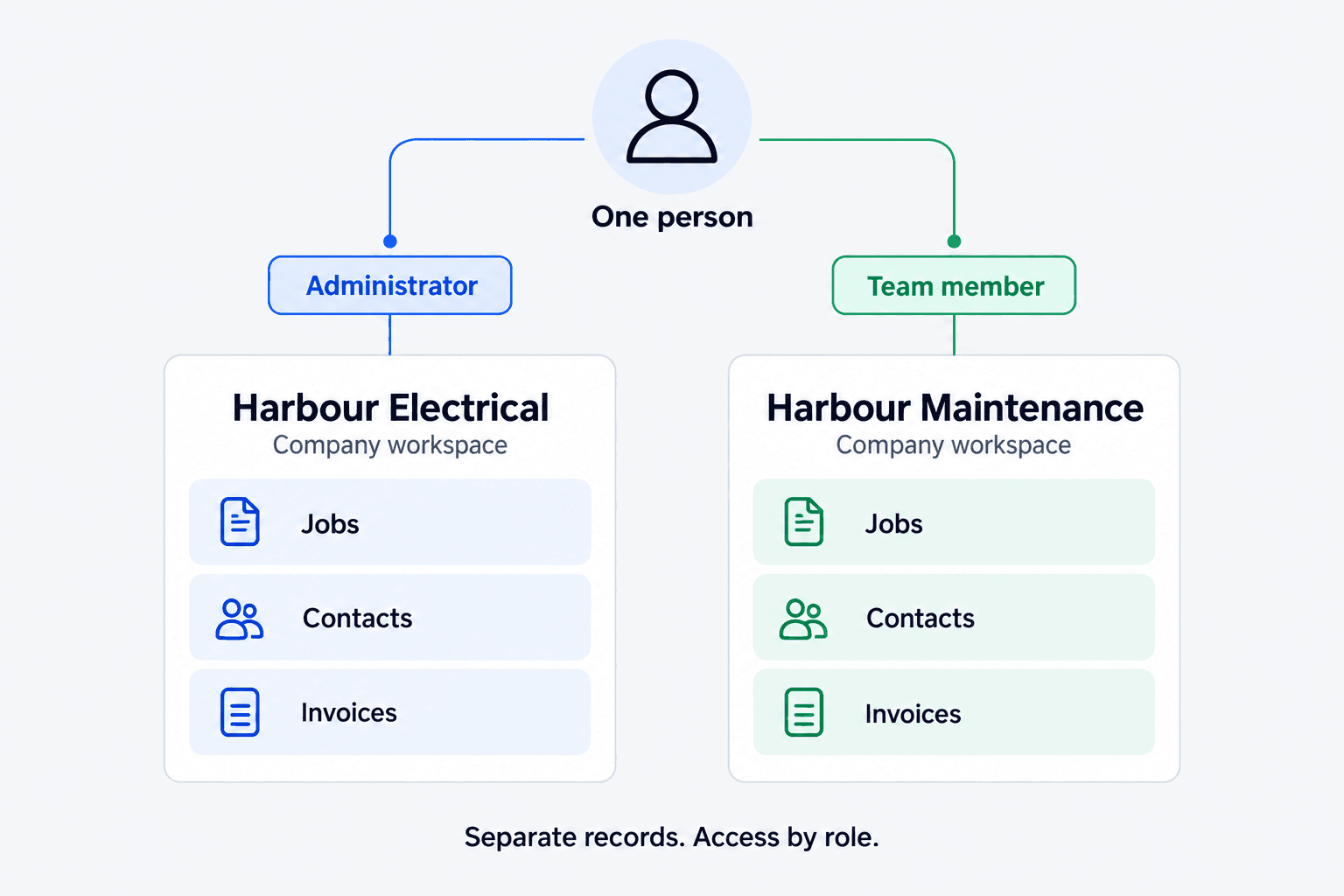
In Systemise, every record belongs to exactly one company workspace. A job, a quote, a contact, an invoice, a timesheet: each of them lives in one company and not the other.
That is the important sentence, and it is a structural fact rather than a filter. It is not that the system hides the other company's jobs from a list. It is that the records are scoped to a company, and a query in one company does not reach into the other.
Access is then controlled by role within each workspace. So a person can hold one role in one company and a different role in the other, or no access to the second one at all. The bookkeeper who does both sets of books gets both. The apprentice who only ever works for the trading entity gets one.
Switching, rather than signing out
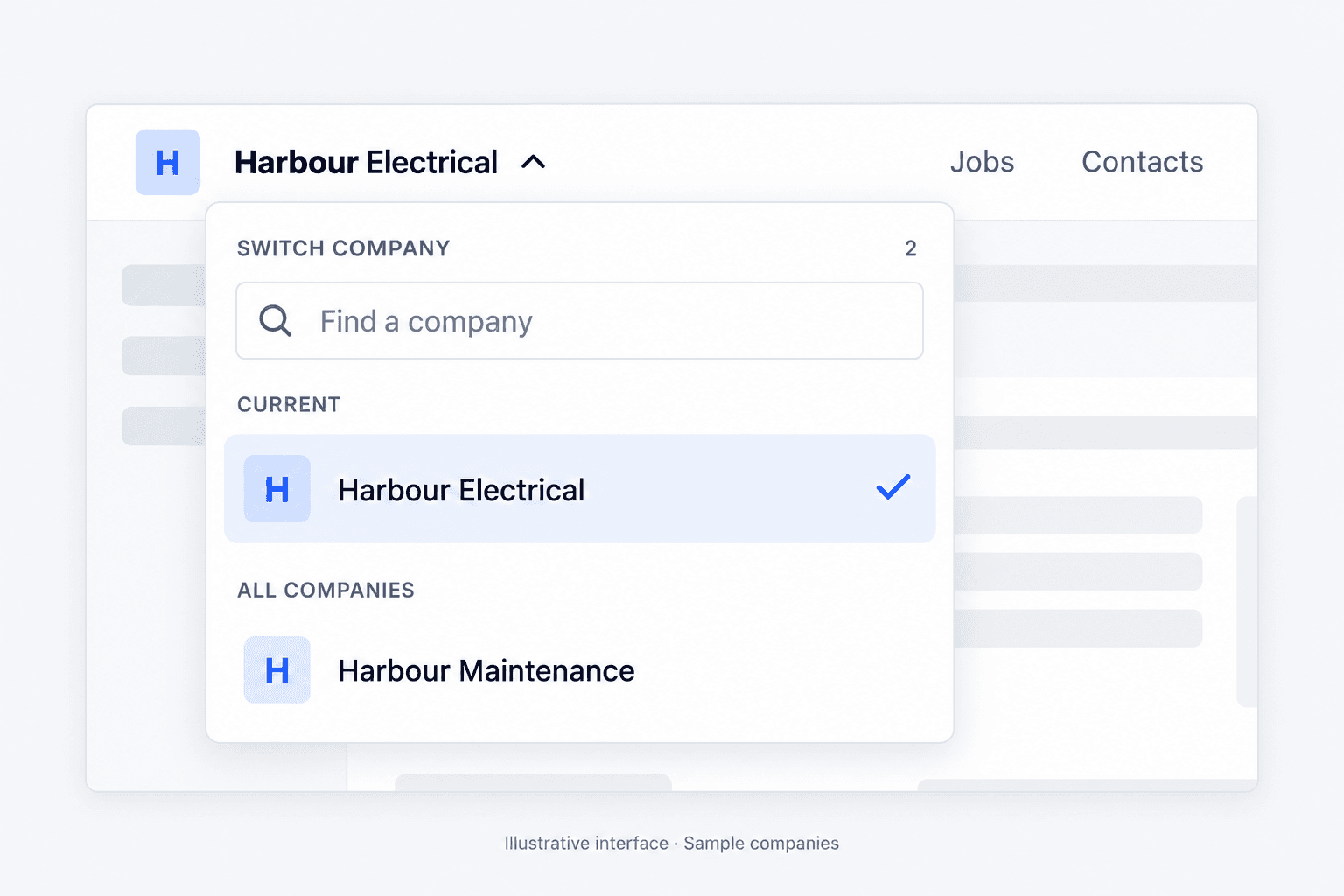
Somebody with access to more than one company switches between them rather than signing out and back in with a different account. That works in the browser and on the phone.
This sounds like a convenience feature and it is really a data-quality feature. The friction of signing out is what makes people stop switching, and the moment people stop switching they start recording work in whichever company they happen to be in. A week of that and your separation is fiction, which is worse than not having it, because now the numbers look authoritative and are wrong.
What this gives you that mixing does not
Each entity's numbers stand alone. Because records belong to a company rather than carrying a label, what one entity quoted, delivered and invoiced is a real figure rather than a filtered one.
People see only what they should. The commercial arm's margins are not visible to somebody who only works on the residential side. This runs on the same permission model as the rest of Systemise, so financial detail stays limited to the users meant to see it, within each company separately.
Settings can differ. Two businesses often genuinely need different job categories, different templates and different terms, because they are different businesses.
One habit, not two. The crew learns one system. The office looks in one place. That is most of the practical benefit.
When you should not do this
Worth being straight, because a feature article that says the feature suits everyone is not much use.
If the two businesses share nothing, not customers, not crew, not suppliers, not the person running them, then the convenience argument mostly evaporates and separate arrangements may suit you better.
If you are separating for legal or liability reasons, talk to your accountant and your lawyer before you design your operations around any software structure. Workspaces separate records. They are not advice about entity structure and they do not create or evidence a legal boundary.
If what you actually have is one business with two kinds of work, do not split it. Job categories, and reporting across them, will serve you better than two workspaces, and splitting a single business in two is a decision that is easy to make and tedious to reverse.
The test is simple enough. If the two would file separate accounts, workspaces probably fit. If they would not, you are looking for categories rather than companies.
Availability
Multi-company workspaces sit on the Business plan. Current plan details are on the pricing page, which is the right place for that rather than an article that will age.
What this does not claim
It does not create a legal separation between entities, evidence one, or affect your obligations to Inland Revenue or the Companies Office.
It does not consolidate reporting across companies into a single group view, and this article does not claim it does. Each company's reporting is its own.
And it is not a substitute for advice. How you structure entities is a question for your accountant. How you operate them is the part this addresses.
Where to look next
The permission model that governs access within each company is covered in the article on permissions in a trade business. What a person can do on site is covered in the field app articles. Who can sign in at all, and what a company can require of them, is covered in the article on two-step sign-in.
If you are running two entities on two systems today, the useful question is not which product is better. It is how often somebody records something in the wrong one, and what that has already cost you.