
One contact and supplier list
Send your Systemise contacts and suppliers across to Xero, so the same client is not typed into both systems under two slightly different names.
Integrations
Systemise runs the job and Xero stays the ledger. Connect the two, code to the accounts you already have, and keep one contact and supplier list across both.
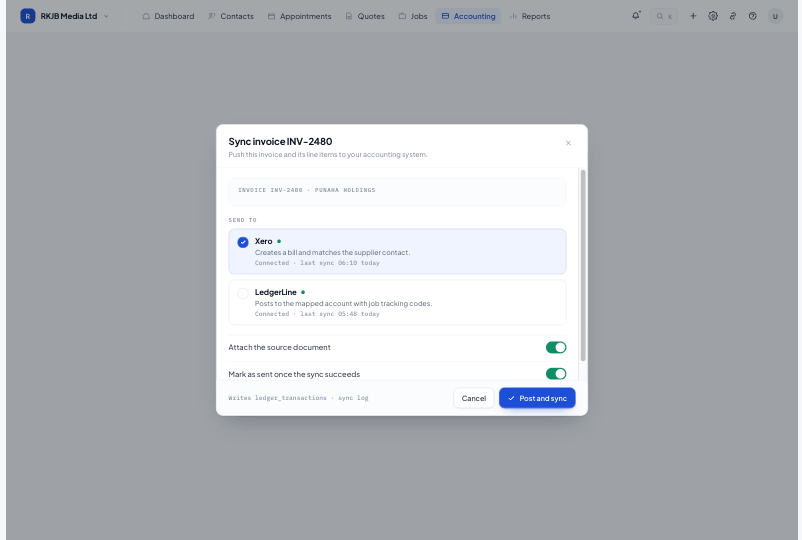
Send your Systemise contacts and suppliers across to Xero, so the same client is not typed into both systems under two slightly different names.
Coding uses the accounts you already have in Xero, so nothing needs remapping at the accountant's end.
The sync log lists what moved, when, and anything that needs attention, with the record one click away.
Connect once with your Xero login, then choose which Xero accounts your labour, materials and overheads code to. Price-list items can be pushed across so the same products exist on both sides, and the connection can be disconnected again from the same screen.
Calendar, email and file storage sit around the workspace so bookings, sent documents and job photos land where the team already looks.
Workspaces scope every record to one company, admin controls who sees what, and everything can be exported if you ever need it elsewhere.
Xero is the supported connection today. If you use something else, tell us what and we will talk through the options.
Contacts and suppliers sync across, your price-list items can be pushed to Xero, and coding uses your existing chart of accounts. Every run is recorded in the sync log.
The failed item is listed in the sync log with the reason and a link to the record, so it can be corrected and retried.
Yes. Each company is its own workspace with its own Xero connection, and the switcher at top-left moves between them.
Start free for 14 days. Bring one live job across and see what it actually made.