
Photos
Photos on the job
Capture site photos and attach them straight to the job.
Available 15 November 2026
See what's on, get to site, do the work and sign it off, all from your phone or tablet. The Systemise app arrives on the App Store and Google Play on 15 November 2026, alongside the new version of Systemise.
Coming 15 November to
On the tools
Built for the person on site: the day in order, big buttons, and every job detail one tap away.
01 · Today
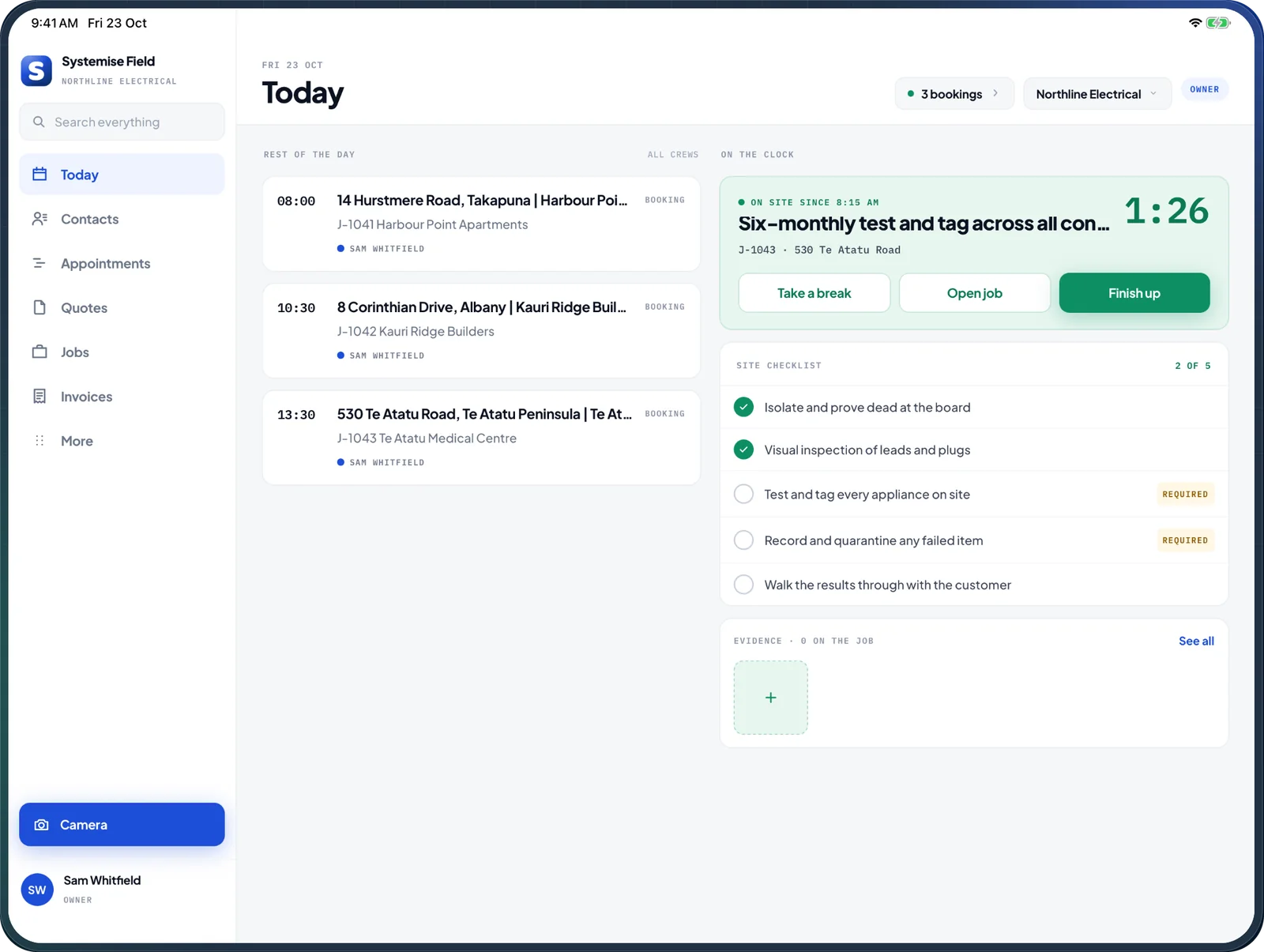
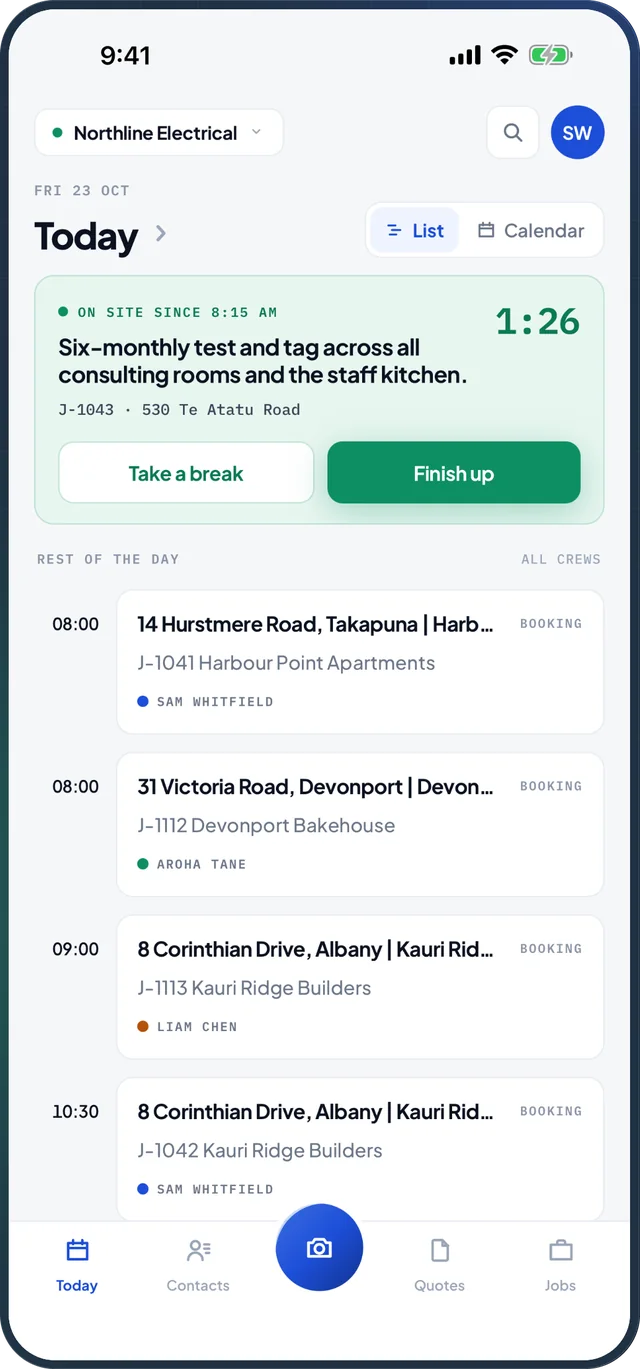
Today's bookings and appointments in order, for you or the whole crew. The job you're on stays at the top with its clock running, so taking a break or finishing up is one tap.
02 · Jobs
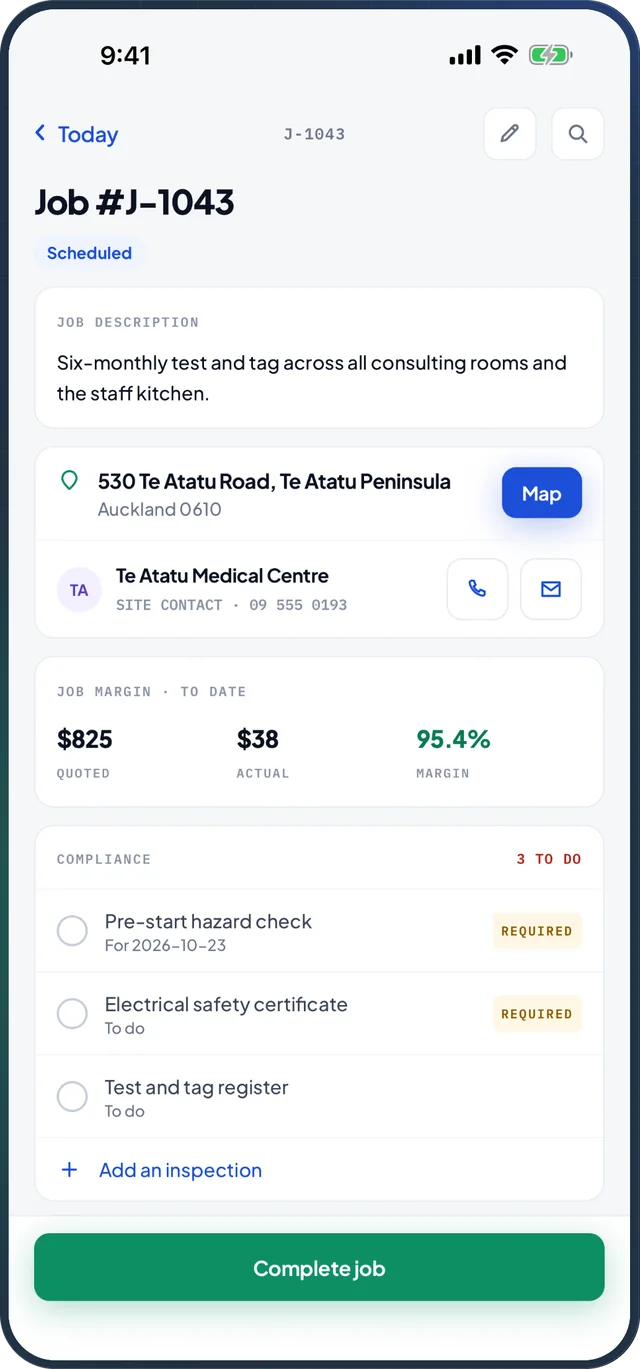
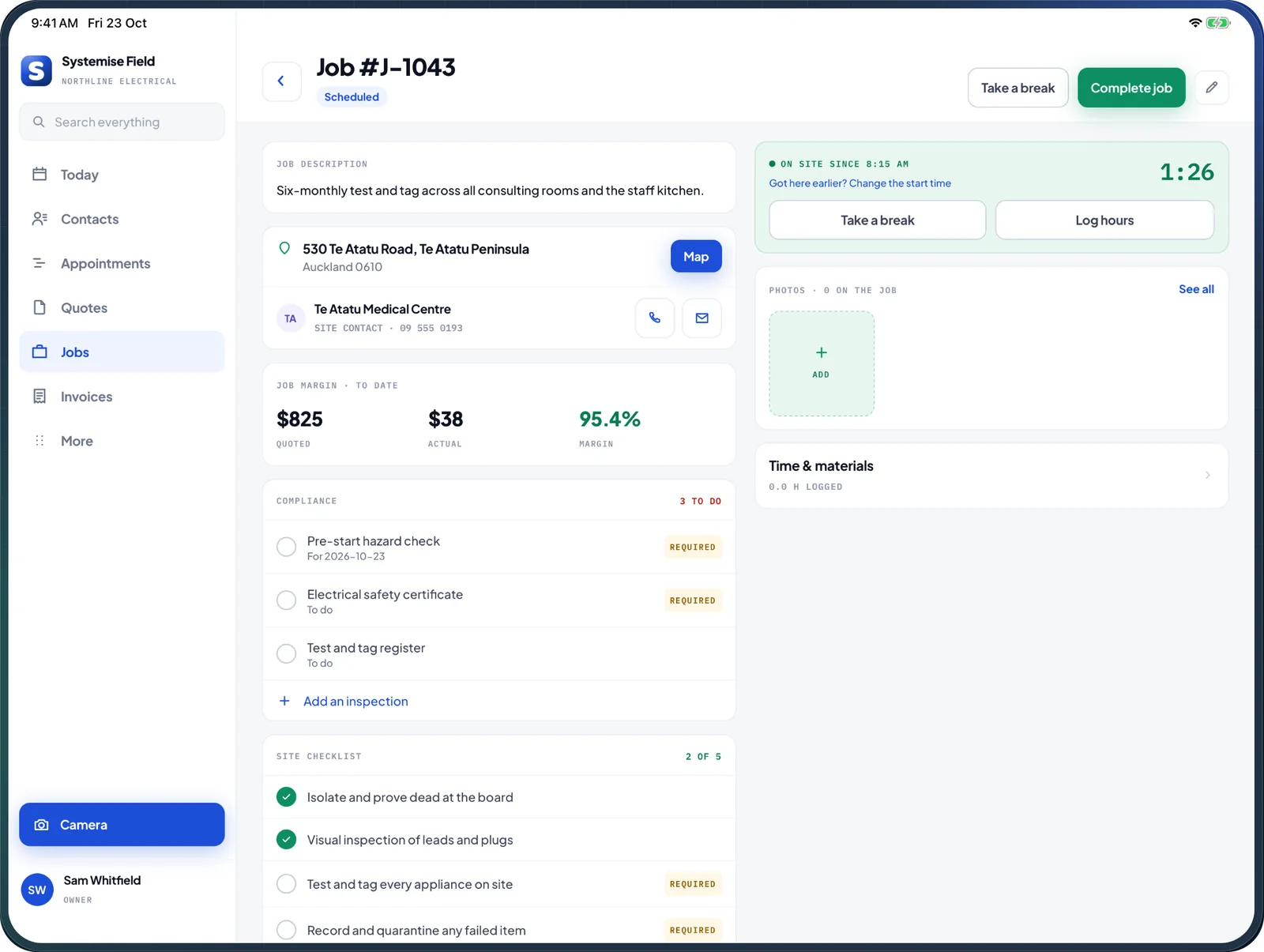
Open the job and the site, the site contact, the notes and the margin to date are all there. Tap Map for directions in your maps app, with the access notes you need when you arrive.
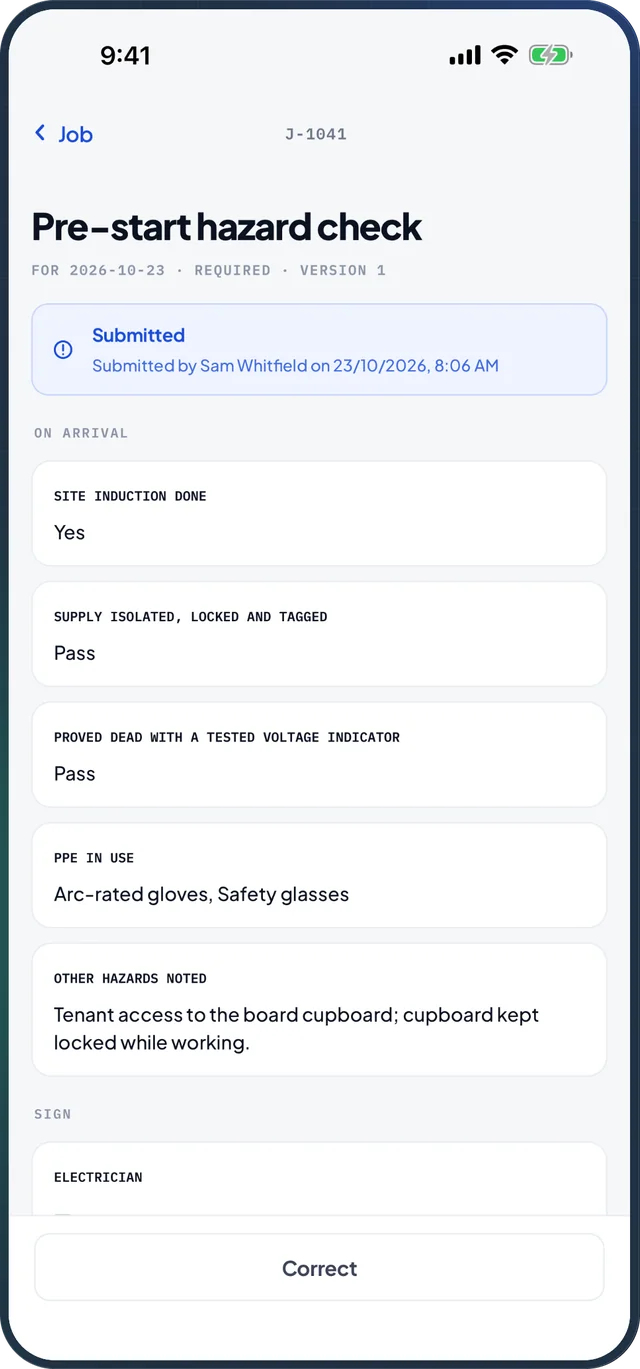
03 · Safety forms
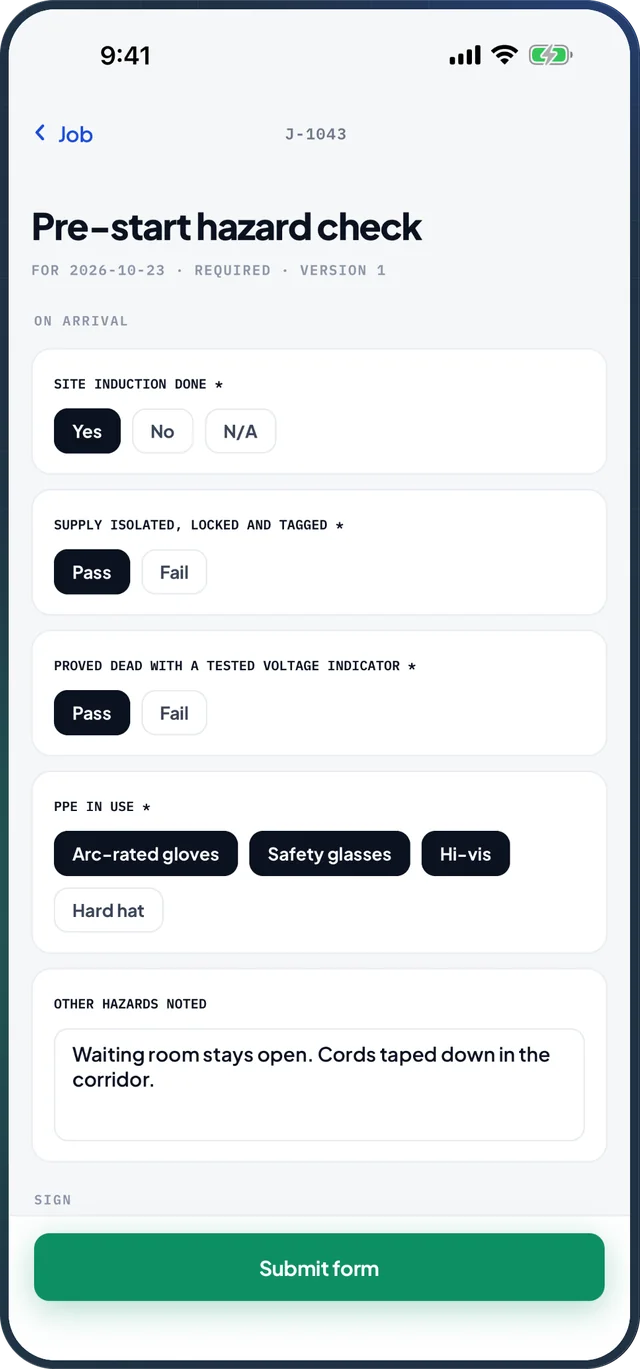
Pre-start hazard checks, certificates and test results take a tap per answer. Once submitted, the form shows who submitted it, when and where, with every answer kept against the job.
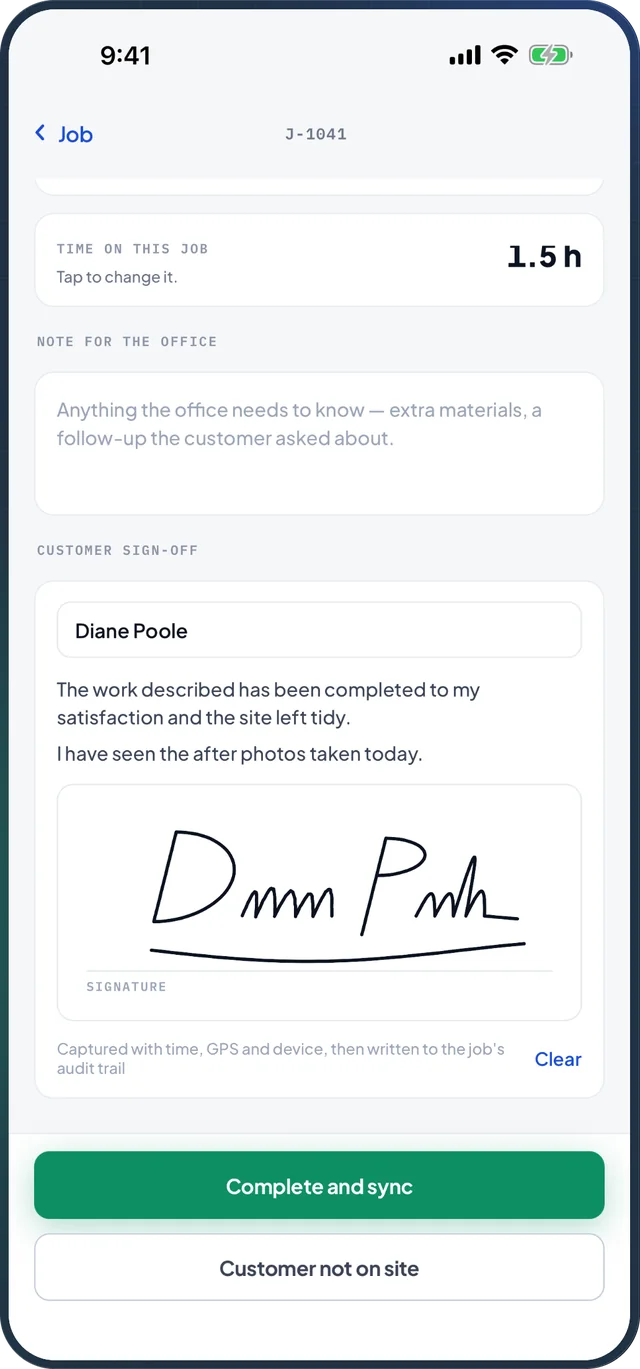
04 · Sign-off
Log the time on the job, leave a note for the office and have the customer sign on screen. The signature is captured with the time, location and device, and written to the job.
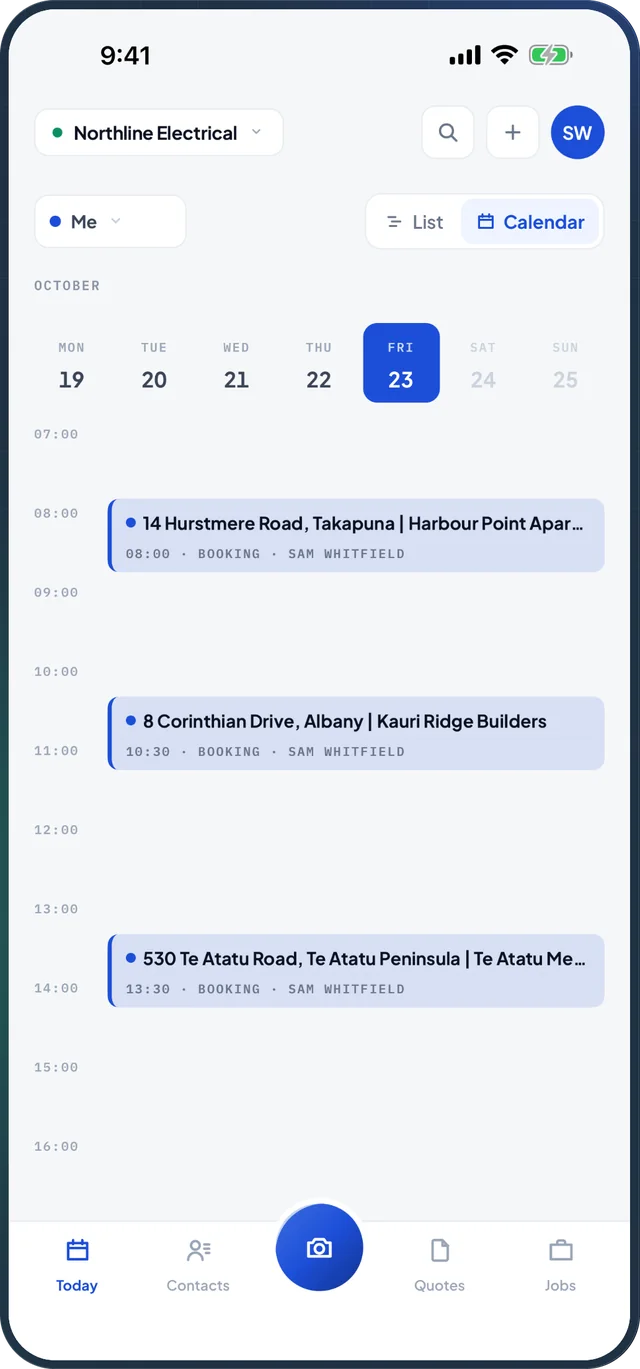
05 · Schedule
See your bookings by the hour, or switch to the whole crew's week, so you know where you're heading tomorrow before you leave today.
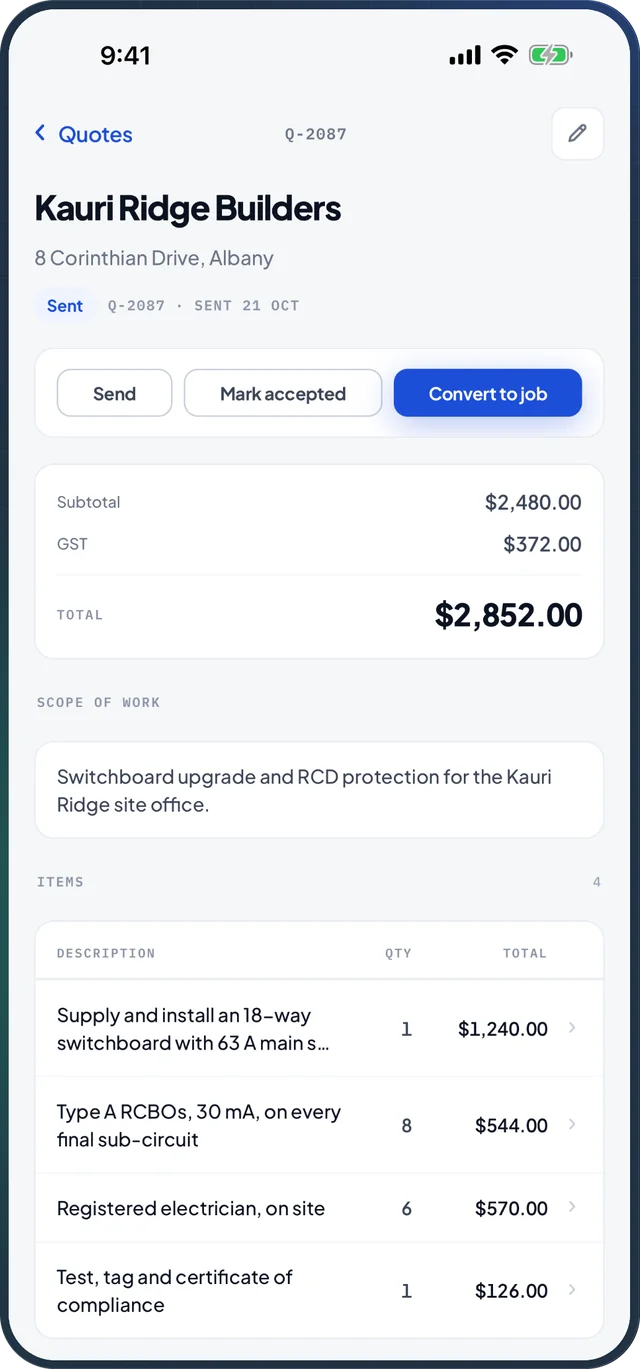
06 · Quotes
Review a quote's line items, attached files and email history on site. Send it, mark it accepted, or turn it into a job on the spot.
And the rest
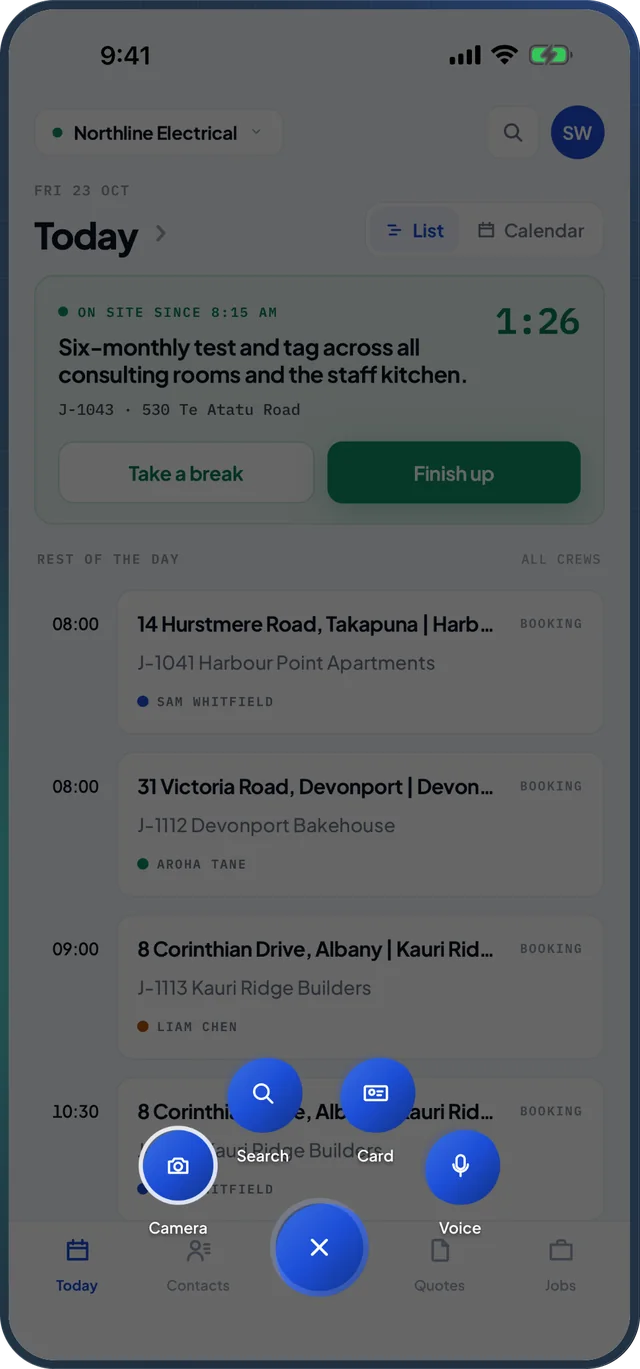
One button does the most. Hold it to choose what it does: camera, search, card scan or voice.
Photos
Capture site photos and attach them straight to the job.
Contacts
Look up customers and sites, add a new contact on the spot, or scan a business card.
Notes
Record what happened and update the job notes before you forget.
Time and materials
Log time and materials against the job while the work is happening.
Search
Search jobs, contacts and sites from one box.
Voice
Hold the Voice button and ask, for example, "What's on today?" Recordings are transcribed, then deleted.
Works offline
Signal on site can be patchy. Systemise keeps working when it drops, and catches up when it comes back.
Your schedule and job details stay available with no connection.
Edits and photos save on the device as you go.
Everything syncs automatically when you are back online.
Tablets
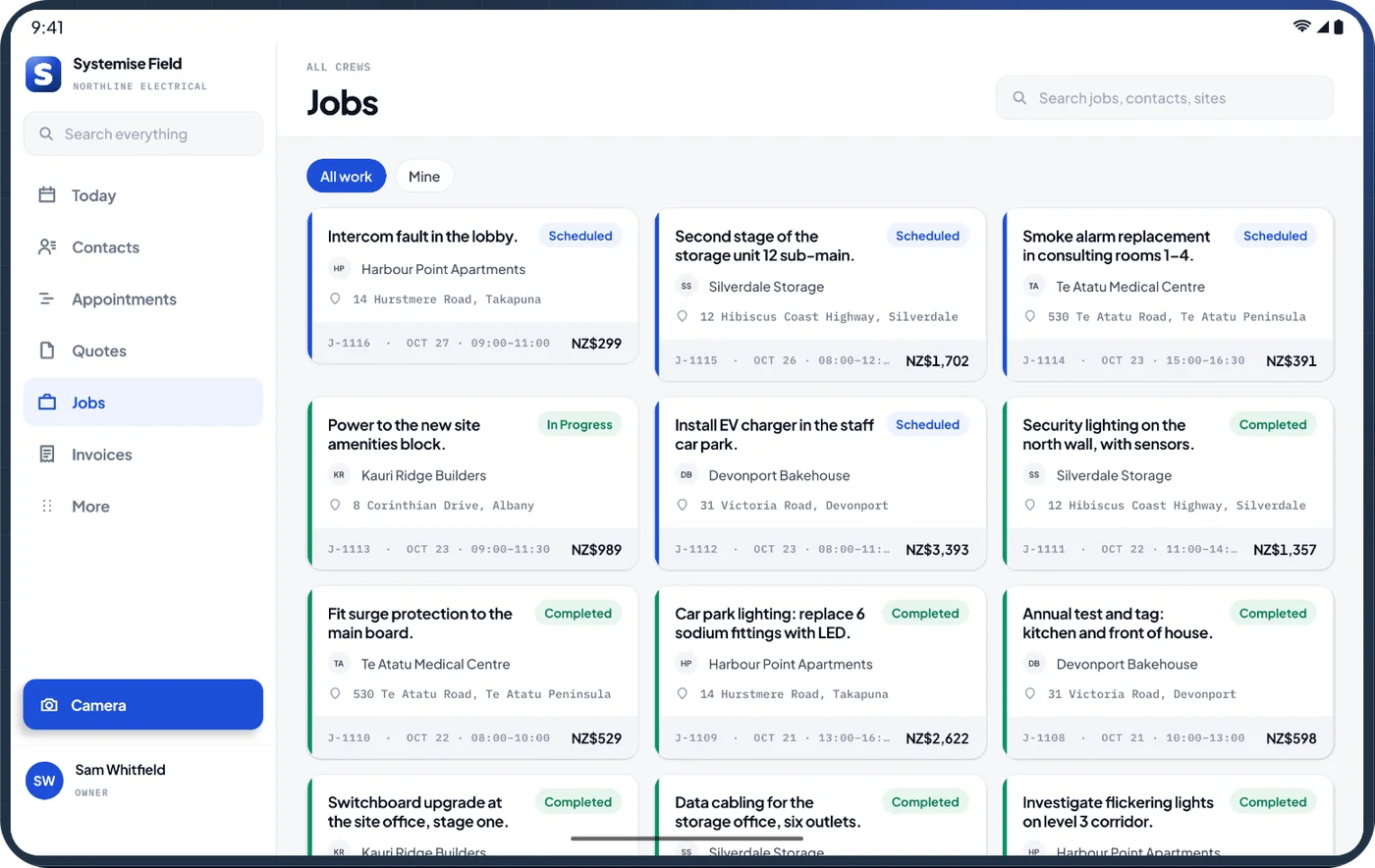
On iPad and Android tablets, Systemise opens out into a full workspace: the sidebar, the day's bookings and the job on the clock, side by side. Ideal in the ute, the site office or on the bench.
Built for teams
Your business creates each login, so every person sees what their role allows and nothing more.
Work for more than one business? Switch companies without signing out.
The app can lock itself with Face ID, with the device passcode as a fallback, whenever it goes into the background.
See the devices signed in to your account, and sign one out if a phone goes missing.
Job and schedule notifications, so a change reaches the crew without a phone call.
Crews usually get narrower roles that hide some menus. The owner sees everything.
Camera, location, microphone and notifications are each asked for the first time you use them. Decline one and only that feature switches off.
On 15 November 2026, when the new version of Systemise is released. It will be on the App Store for iPhone and iPad, and on Google Play for Android phones and tablets.
The app is free to download. You need a Systemise account to use it: your business subscribes on our website and sets up logins for its staff. There is no sign-up or purchase inside the app.
Yes. Your schedule and job details stay available offline, edits and photos save on the device, and everything syncs when you are back online.
The camera for job and receipt photos; location while the app is open, to record where a photo, form or sign-off was taken; the microphone only while you hold the Voice button; and notifications for job and schedule alerts. Each one is optional, and declining it turns off only that feature.
The office runs Systemise in the web app and the crew uses the mobile app. Both work on the same jobs, so what happens on site shows up in the office as soon as the device syncs.
The app and the new version of Systemise launch together. Talk to us about getting your business set up so the crew can start on day one.