
Client or prospect
A badge on the row says which. Prospects convert to clients the moment their first quote is accepted.
Contacts and CRM
Every contact carries its account details, sites, quotes, jobs and activity, so a call about a job from two years ago takes one search, not three phone calls.
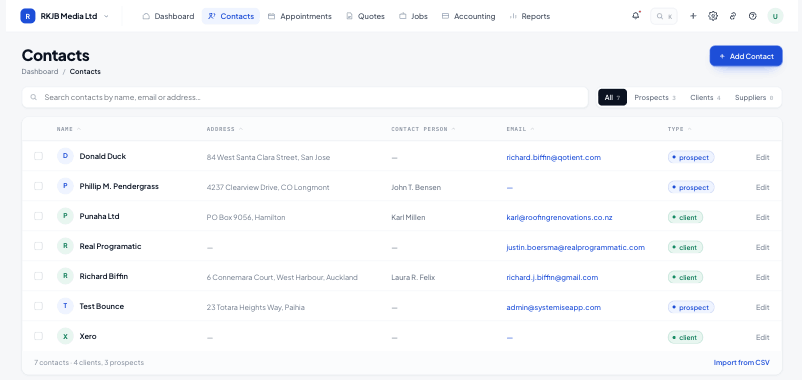
A badge on the row says which. Prospects convert to clients the moment their first quote is accepted.
A contact can hold several sites, so the right address lands on the right quote and the crew goes to the right gate.
Reports surface contacts with no recent activity, so the quiet accounts are visible before they go elsewhere.
The contact detail opens on account cards (billing details, payment terms, primary contact person), with tabs for every quote and job they have had and a running activity feed.
⌘K opens global search from any screen. Type and results group by record type with live counts, so a client, their quote and their job all surface together.
Every contact carries its source, so the source performance and conversion funnel reports tell you which channels actually turn into accepted quotes.
Yes. A CSV import maps your columns to contact fields, and the Xero connection can bring across contacts already in your accounting file.
Contacts and their billing details stay in step both ways, so an address changed in Systemise is the address Xero invoices to.
A contact holds as many sites as it needs. The site is chosen on the quote or job, and travels with it to the crew.
The interaction coverage report lists contacts with no recent activity, ordered by how long it has been.
Start free for 14 days. Bring one live job across and see what it actually made.