
Coverage on a New Zealand job site is often poor. A new subdivision with the cell tower still on the plans. A plant room three floors down. A rural job where one bar is a good day. The work still has to be recorded, and a crew member should not have to stand in the car park holding a phone up to book the next job in.
So the Systemise field app is built to keep working when there is no signal, and to sort out the consequences later without creating a mess. That second part is the harder half, and it is where most of the thought has gone.
This article walks through what actually happens: when you record something out of coverage, when the connection comes back, and in the two cases that need care, when a write is retried and when the office was never going to accept it.
The record appears straight away
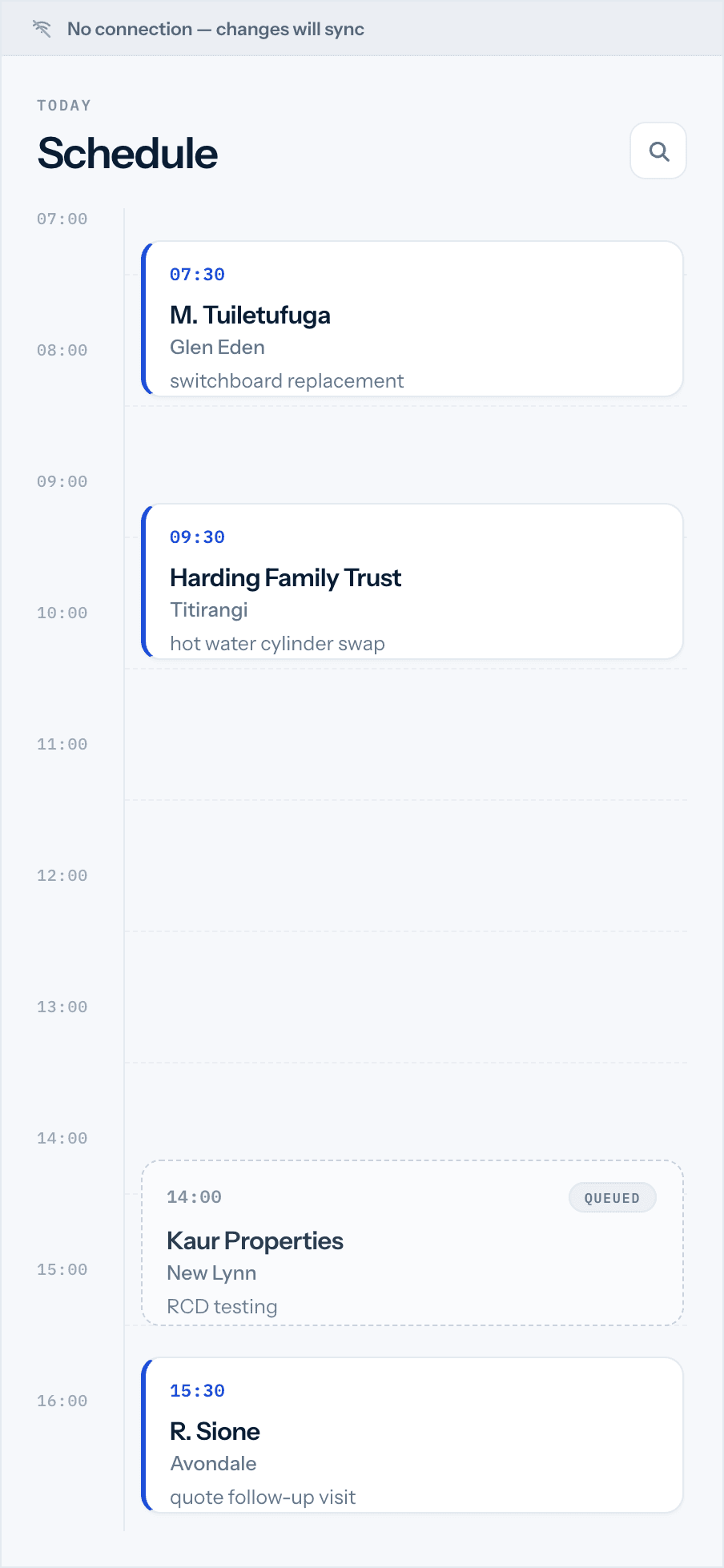
When a crew member books work in with no signal, the booking is drawn on the timeline immediately. It does not spin, and it does not wait for the network. The write is set aside to send later, and the crew member sees the job in front of them on the schedule rather than writing it on the back of a hand.
What the app cannot know yet is everything the server decides. The booking's real identifier, its workflow state, its status: those are the server's to assign, and they arrive when the queued write finally goes through. Until then the row is provisional, drawn from what the crew member entered, holding its place on the day.
The same holds for the other things easiest to lose between the van and the desk: hours recorded against a job, photos taken on site, a job signed off, a customer captured from a business card. Each is written locally and queued.
The queue drains when the connection returns
Queued writes are held in order and sent when there is a connection to send them on. A few design decisions make that orderly rather than chaotic.
Writes go out oldest first, and the queue takes one item per record per pass. If a booking was created and then edited twice before the phone found signal, the queue does not fire all three at once and race them. It takes the create, then the next pass takes the edit, in the order they happened.
Where a booking is made for a brand new customer, the customer is written first. The booking needs something to attach to, so the contact is queued ahead of it, and both are attempted in the same drain: contact, then booking. The crew member does not think about any of this. They add the customer and the booking in one step, and the ordering is handled underneath.
Retries back off rather than hammer. A write that fails on a flaky connection is tried again after five seconds, then thirty, then two minutes, then ten, then an hour. It keeps a queued write for up to thirty days of trying before giving up on it, which is far longer than any realistic gap in coverage, so a genuinely transient failure gets every reasonable chance to clear on its own.
Why an offline booking cannot become two crews
This is the case that matters most, and it is worth being specific about, because it is the one that goes badly wrong in a naive system.
A write is sent, the connection drops before the reply comes back, and the phone cannot tell whether the booking was recorded or not. The safe-looking move is to send it again. The naive result is two bookings for the same slot, the office dispatches against both, and two crews turn up to one job.
Systemise stops that in two places.
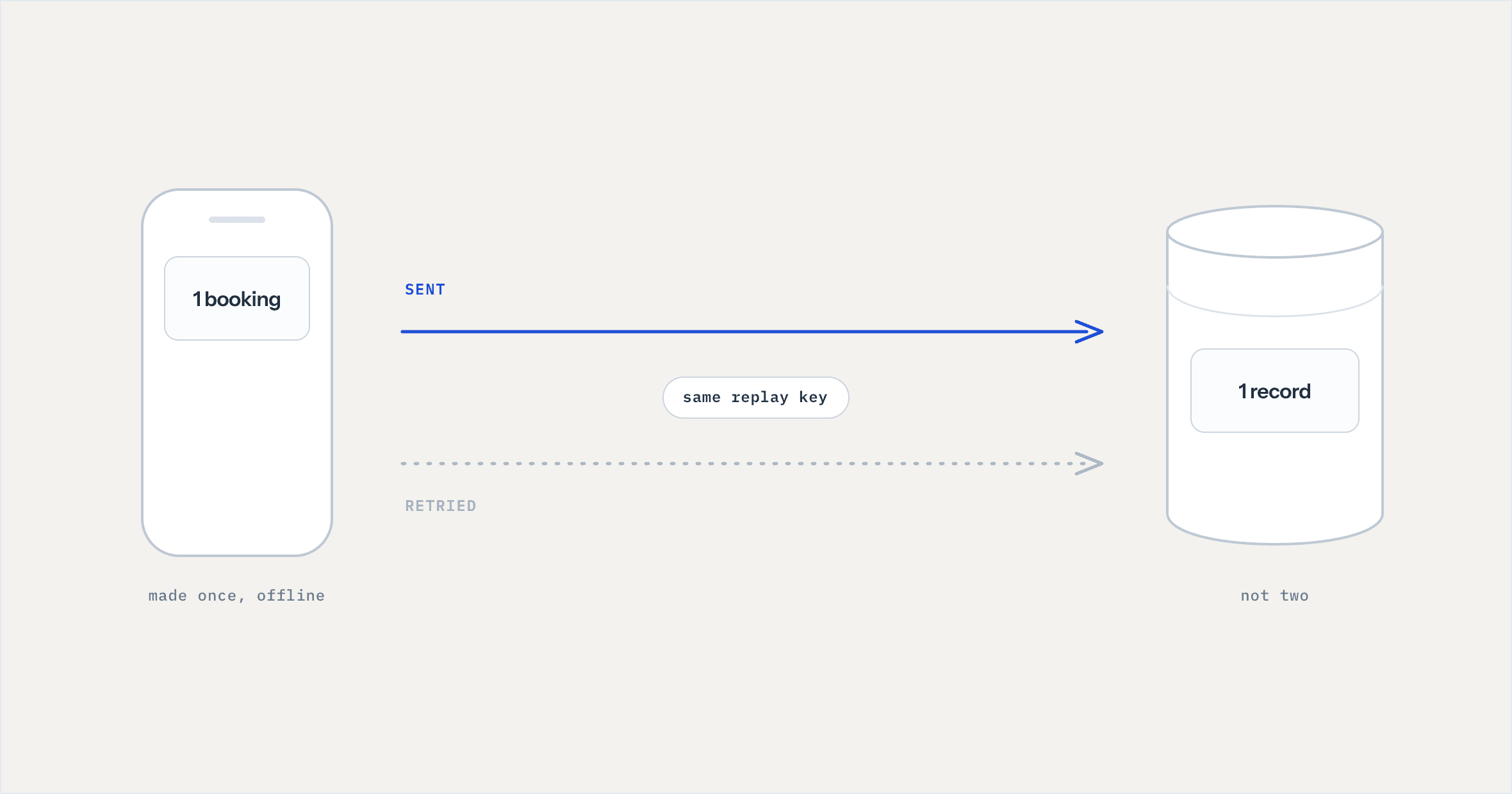
On the phone, every queued write carries a replay key. If the same write is retried, the queue recognises the key and does not add a second copy. One booking made means one write, however many times the connection stutters underneath it.
On the server, the same key is checked again. The first time a write arrives under a given key, it is recorded against the company along with a fingerprint of the request. If a write arrives under a key that has already been seen, the server does not perform it a second time. It returns the record it made the first time, so the phone gets the same answer it would have got if the reply had never been lost. The check runs inside a lock on the record, so two copies racing in at once cannot both slip through.
The reasoning is written into the code plainly: a duplicate booking is worse than a late one, because the office dispatches against it and two crews turn up. The whole mechanism exists to make sure that a lost reply costs you nothing worse than a short wait.
What happens to a write the office will not accept
Not every queued write should go through. A crew member's permissions might have been narrowed while the phone was offline. A booking might clash with something decided back at the office in the meantime. And the app cannot simply keep retrying a write that is never going to succeed, because that would leave a crew member believing everything is sent while a booking sits on their timeline that the office has never seen.
So failures are sorted by kind rather than all treated the same.
A transient failure, a dropped connection or a timeout, is retried on the backoff described above. That is the ordinary case and it clears itself.
A refusal is different. If the server rejects a write because the permission is not there, or the record is not found, or the input is not valid, the app does not keep trying. Retrying would not change the answer. The write is set aside as rejected rather than pending.
A clash is different again. If the write conflicts with something the office changed, it is held as a conflict rather than silently overwritten or silently dropped.
The point of separating these is honesty with the crew. Rejected and conflicted writes are not quietly swept out of sight. They are held where they can be surfaced, so the person who made the booking can be told it did not land, rather than being shown a clean "all sent" while a job quietly failed to reach the office.
Stopping the bad write before it is made
The cleanest failure is the one that never enters the queue. Where the app can tell in advance that a write will be refused, it declines on the form instead of queueing it to fail later.
The clearest example is an unassigned booking. A booking has to have someone assigned to it, so the booking form marks the assignment as required and will not save without it. A crew member cannot create a booking with nobody on it, watch it sit as pending for an hour, and then discover it was never going to be accepted. It is stopped at the point of entry, while the person is still standing there and can fix it.
What still needs the office and a desk
The field app is built around the day in front of the crew, not the whole business, and some things stay in the browser on purpose.
Building and sending a quote is one of them. On site a quote can be opened and read, but not created or changed. The full job board, with its Gantt, resource, calendar and list views and the panel of unscheduled work, stays on a laptop or desktop, along with accounting and reporting. The field app covers recording what happens on the job and moving the day around. The office keeps the wider view.
What this does not claim
Worth being plain about the edges. Offline support means the app keeps working without a connection and reconciles when one returns. It does not mean data can never be lost in every conceivable circumstance, and nothing here should be read as a guarantee of uptime or sync speed. What it means is concrete and testable: a booking made with no signal is not lost when the phone is put in a pocket, a retried write does not become two bookings, and a write the office refuses is not hidden from the person who made it.
Where to look next
The field behaviour sits alongside Appointments and bookings for how work reaches the schedule and Jobs and scheduling for the board it lands on. If your question is about who can do what on the phone in the first place, and who sees job costs and margin, that is covered in the article on permissions in a trade business.
If you want to see how the field app behaves on your kind of site, book a walkthrough and ask about the worst-coverage job you run. That is the one worth testing against.