
There were 40,581 new homes consented in New Zealand in the year ended June 2026, up 19 percent on the previous year and the first time the annual figure has passed 40,000 since 2023. Stand-alone houses were up 17 percent and multi-unit homes up 21 percent.
In the same release, the seasonally adjusted number of new dwellings consented fell 3.6 percent in June, after falling 4.9 percent in May. Stats NZ has the full release.
Both of those things are true at once, and the combination is the actual operating condition for most trade businesses right now. The year is better. The month is unpredictable. You are being asked to staff for a recovery while the work arrives in a pattern nobody can forecast from one month to the next.
That is a scheduling problem rather than a strategy problem, and the two have different answers.
What volatility actually costs you
The expense is not the quiet weeks. It is the mismatch.
A week where two jobs slip and nothing fills the gap is paid labour producing nothing. A week where three jobs land together is overtime, subcontractors at short notice, and a customer told you will get there Thursday when you will not.
Both are failures of visibility more than capacity. In each case the information existed somewhere. It was in a diary, a text message, somebody's head, and a whiteboard, and no one could see all of it at once in time to act.
So the useful question is not how to predict the pipeline. It is how quickly you can see the shape of a week and change it.
Four views over one schedule
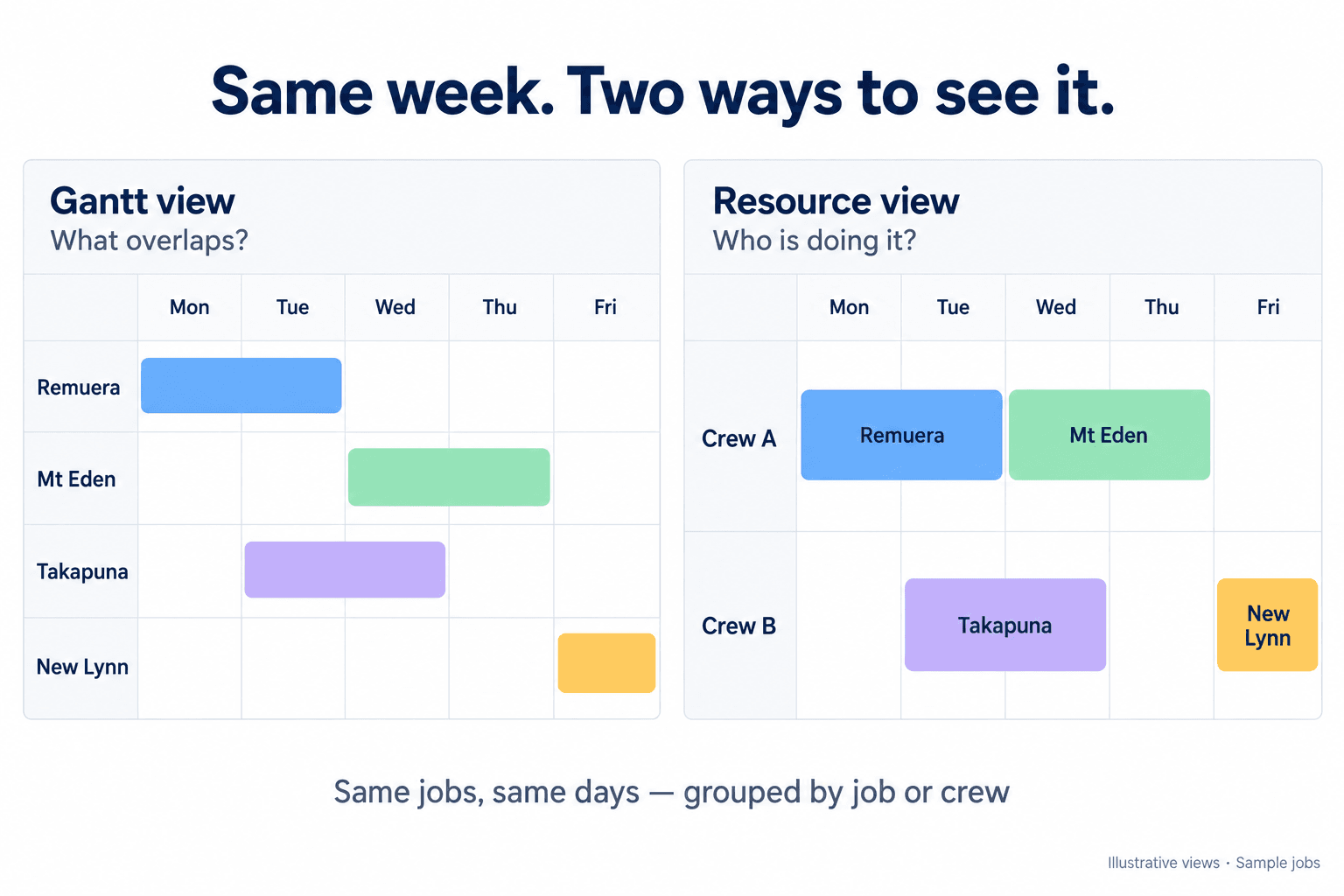
Systemise gives you four ways of looking at the same booked work, because the question you are asking changes what you need to see.
Gantt. Jobs as blocks across time, sized to their real duration rather than sitting as a single point on a day. This is the view for multi-day work, for seeing what overlaps, and for spotting the job that has quietly stretched from three days to five.
Resource. The same work arranged by who is doing it. This is the view for the question every owner asks on Sunday night, which is whether anyone is either overloaded or idle.
Calendar. The familiar shape, for anyone who thinks in weeks and for talking to a customer about a date.
List. The flat version, for scanning, sorting and finding rather than for looking.
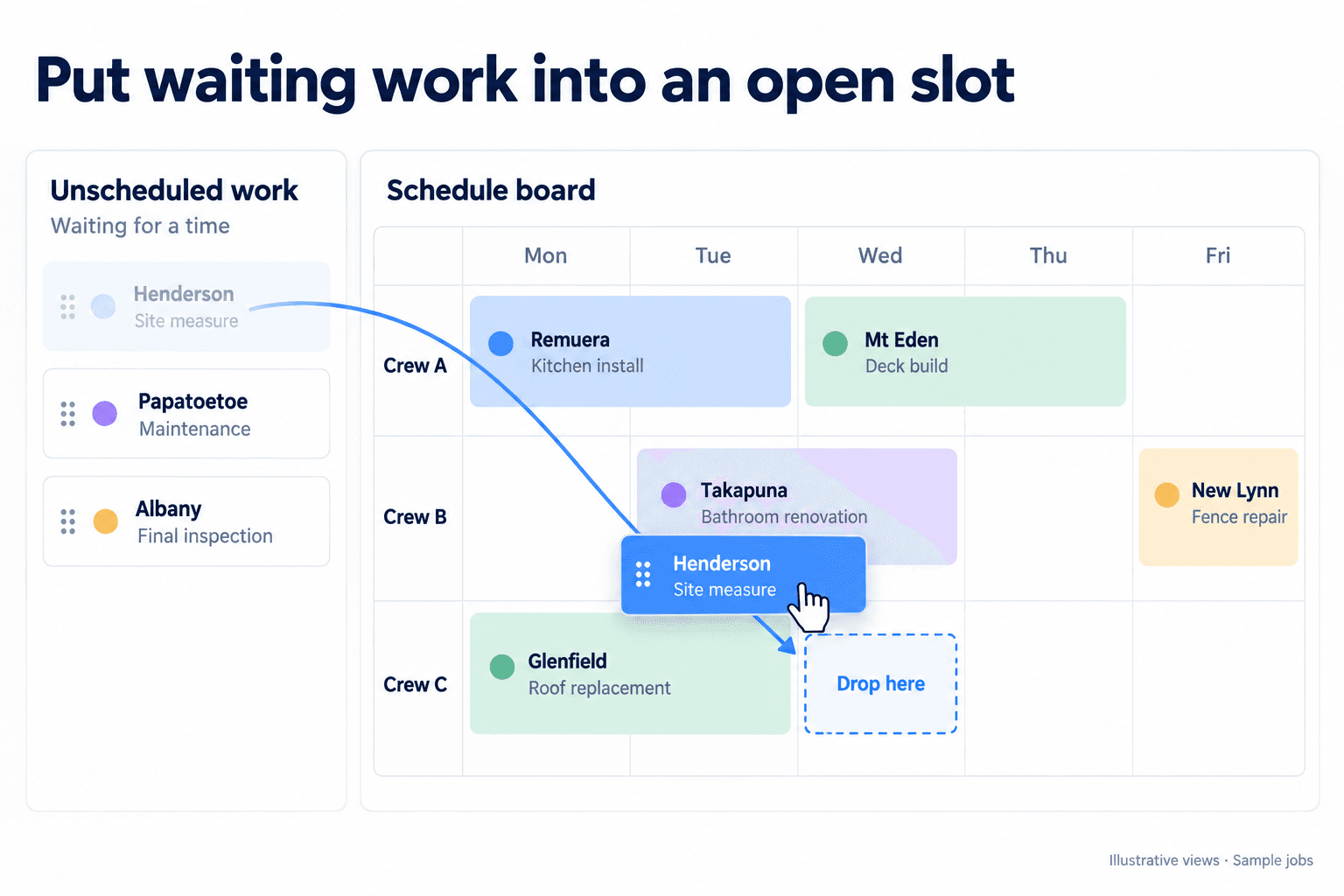
Beside them sits the panel of work that is not scheduled yet, and you drag from it onto the board. That panel is the honest part of the system. It is the pile of promised work that has no time against it, and its size is a genuinely useful number to look at on a Monday morning.
Moving work is the normal case, not the exception
A schedule that is painful to change does not get changed. It gets worked around, and the workaround is a text message that never reaches the record.
So work moves by dragging it. A booking goes to another slot or another day. A job's scheduled segment moves the same way. The unscheduled panel is there to drag from when a gap opens.
This matters more in a volatile month than a steady one, because in a volatile month you are doing it constantly. Any friction is multiplied by how often you hit it.
The crew can move the day too, within limits
The reason a schedule goes stale is almost always that the person who knows it has changed is not the person allowed to change it.
A job runs long. The crew knows at 10am. The office finds out at 4pm, by which time the afternoon has already gone wrong and two customers have been let down rather than one.
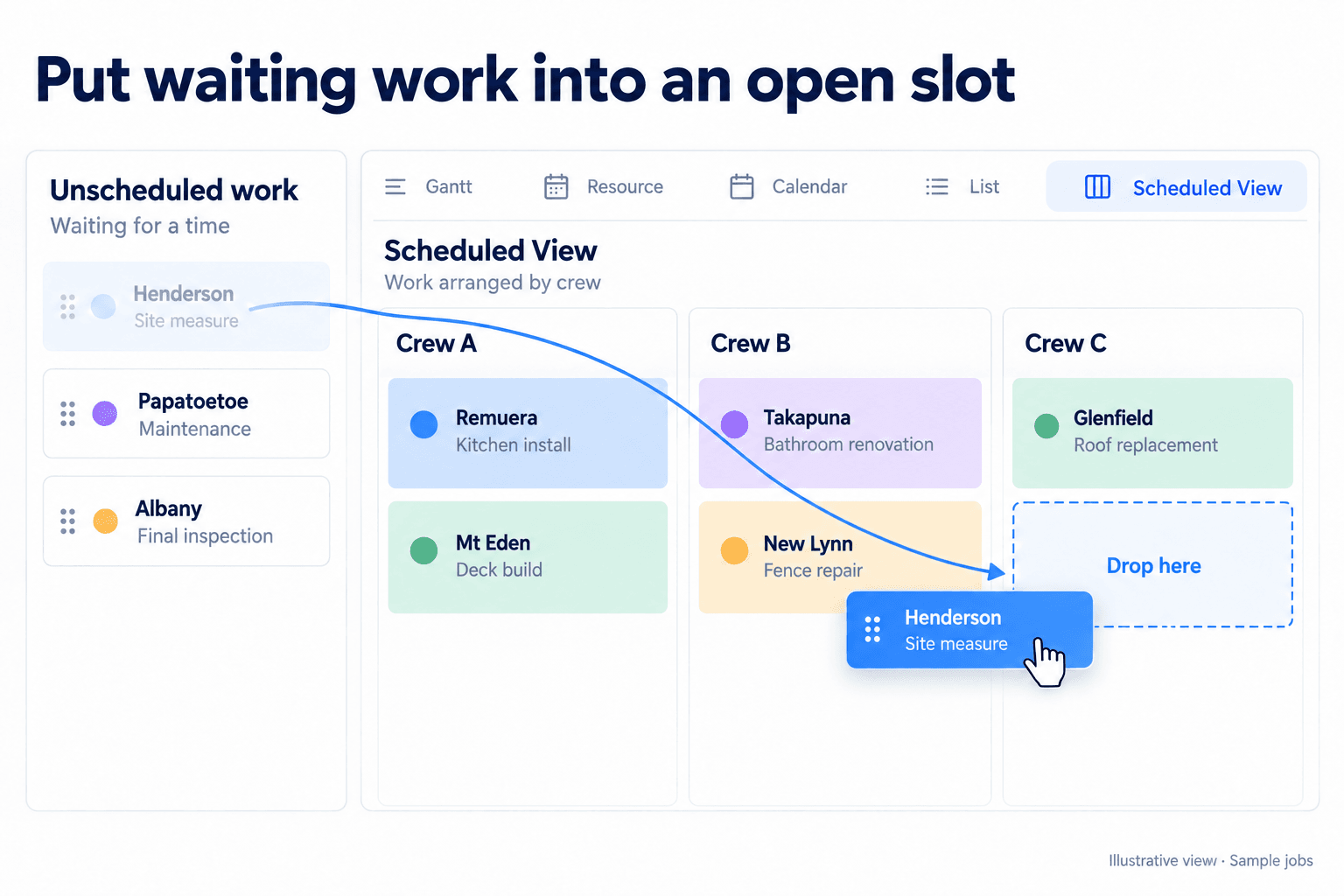
So from the field, where permissions allow it, a crew member can book new work in, drag a booking to another slot or sideways to another day, and move a job's scheduled segment. It works without a connection, and a queued write carries a key that stops a retry booking the same slot twice.
Each of those is a separate permission. A business that is happy for a crew member to shuffle their own appointments but not to move a multi-day job across the week can set exactly that, rather than choosing between everything and nothing. The server checks again on arrival and narrows further on bookings, so this is a real boundary rather than a hidden button.
Then look at what it cost
A schedule tells you what you promised. It does not tell you whether the promise was worth making.
Job financials sit alongside, quoted against actual, per job. The pattern worth hunting is the job type that always runs longer than it is scheduled for, because that is not a scheduling failure, it is an estimating one, and no amount of dragging blocks around will fix it.
Cost and margin are visible only to users whose permissions allow it, so this is a view for whoever is meant to have it rather than for everyone who can see the board.
It is also not a forecasting tool. Systemise shows you the work you have. It does not predict the work you will get, and the Stats NZ figures at the top of this article are context for why that matters rather than something the software acts on.
Where to look next
The views themselves are on Jobs and scheduling, and how work reaches the schedule in the first place is on Appointments and bookings. Who is allowed to move what is covered in the article on permissions in a trade business, and what happens when the crew has no signal is covered in the article on the field app.
If you want a concrete test, count the jobs currently sitting in your business with a customer expectation and no time against them. That number is usually larger than people expect, and it is the number a schedule board is for.